Coverflow Carousel
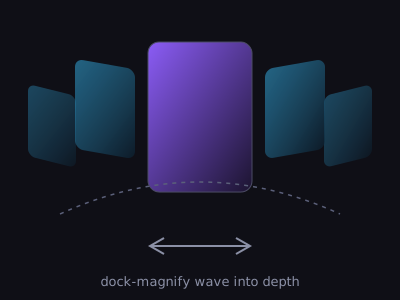
3D coverflow-карусель на чистом CSS-3D: активный слайд фронтально, соседи развёрнуты и утоплены; клик, стрелки, клавиатура.
Установка
npx shadcn@latest add https://motiva.pages.dev/r/coverflow-carousel.jsonЧто нужно в проекте до установки
Файл
components.jsonв корнеИз него CLI узнаёт, куда класть файлы. Алиасы — в такой форме:
"aliases": { "components": "@/components", "lib": "@/lib" }Нет файла — установка не начнётся вовсе.
Алиас
@объявлен дваждыВ корневом
tsconfig.jsonи в конфиге сборщика. В Vite корневой tsconfig часто содержит толькоreferences— этого мало."paths": { "@/*": ["./src/*"] } // tsconfig.json resolve.alias = { "@": "/src" } // vite.config.tsБез
pathsCLI молча создаёт папку с именем@.Токены подключены один раз на приложение
Они приезжают вместе с записью — достаточно импортировать их в точке входа:
import "@/styles/motiva-tokens.css";Без них блок потеряет цвета, ритм и тему.
Своя типографика не спорит с блоком
Наследуемые свойства протекают внутрь:
text-align: centerна обёртке отцентрует содержимое секции. То же касаетсяfont-familyиline-height.Проект без TypeScript? всё равно нужен tsconfig
CLI грузит
tsconfig.jsonбезусловно, а при"tsx": falseидёт заjsconfig.jsonи падает так же. Минимум — файл сpathsи"tsx": trueвcomponents.json.Приехавший рядом
.tsxможно не трогать — вам нужен.vanilla.js.
Экспорт
Код
"use client";

import { useEffect, useState } from "react";

const SLIDES = [280, 230, 170, 60, 330, 20].map((hue, i) => ({
  n: String(i + 1).padStart(2, "0"),
  art: `linear-gradient(150deg, oklch(0.58 0.16 ${hue} / 0.9) 0%, oklch(0.2 0.04 ${hue}) 75%)`,
}));

/**
 * 3D coverflow-карусель на чистом CSS-3D: активный слайд фронтально, соседи развёрнуты
 * rotateY и утоплены в глубину. Клик по соседу/стрелки/клавиатура. Reduced-motion — без transition.
 */
export function CoverflowCarousel() {
  const [active, setActive] = useState(2);
  const frozen =
    typeof document !== "undefined" &&
    (document.documentElement.hasAttribute("data-shot") ||
      window.matchMedia("(prefers-reduced-motion: reduce)").matches);

  useEffect(() => {
    const onKey = (e: KeyboardEvent) => {
      if (e.key === "ArrowLeft") setActive((a) => Math.max(0, a - 1));
      if (e.key === "ArrowRight") setActive((a) => Math.min(SLIDES.length - 1, a + 1));
    };
    window.addEventListener("keydown", onKey);
    return () => window.removeEventListener("keydown", onKey);
  }, []);

  return (
    <div style={{ width: "100vw", overflow: "clip", color: "oklch(0.92 0.01 265)" }}>
      <div
        style={{
          position: "relative",
          height: 280,
          perspective: 900,
          display: "grid",
          placeItems: "center",
        }}
      >
        {SLIDES.map((s, i) => {
          const off = i - active;
          const abs = Math.abs(off);
          return (
            <button
              key={s.n}
              onClick={() => setActive(i)}
              aria-label={`Слайд ${s.n}`}
              aria-current={i === active}
              style={{
                position: "absolute",
                width: 170,
                height: 230,
                borderRadius: 14,
                border: "1px solid oklch(0.32 0.02 270)",
                background: s.art,
                cursor: i === active ? "default" : "pointer",
                display: "flex",
                alignItems: "flex-end",
                padding: "0.8rem",
                transformStyle: "preserve-3d",
                transform: `translateX(${off * 118}px) translateZ(${-abs * 150}px) rotateY(${
                  off === 0 ? 0 : off > 0 ? -42 : 42
                }deg)`,
                opacity: abs > 2 ? 0 : 1 - abs * 0.18,
                zIndex: 10 - abs,
                transition: frozen ? "none" : "transform 0.55s cubic-bezier(0.16, 1, 0.3, 1), opacity 0.4s",
                pointerEvents: abs > 2 ? "none" : "auto",
                color: "inherit",
              }}
            >
              <span style={{ fontFamily: "ui-monospace, monospace", fontSize: "0.85rem", opacity: 0.85 }}>{s.n}</span>
            </button>
          );
        })}
      </div>
      <div style={{ display: "flex", gap: 10, justifyContent: "center", marginTop: 8 }}>
        <button
          onClick={() => setActive((a) => Math.max(0, a - 1))}
          aria-label="Предыдущий"
          style={arrowStyle}
        >
          ←
        </button>
        <button
          onClick={() => setActive((a) => Math.min(SLIDES.length - 1, a + 1))}
          aria-label="Следующий"
          style={arrowStyle}
        >
          →
        </button>
      </div>
    </div>
  );
}

const arrowStyle = {
  width: 40,
  height: 40,
  borderRadius: 12,
  border: "1px solid oklch(0.32 0.02 270)",
  background: "oklch(0.22 0.02 270)",
  color: "oklch(0.92 0.01 265)",
  cursor: "pointer",
  fontSize: 16,
} as const;